Missed 2am airport inquiries and double-booked vehicles cost limo operators real money. This guide shows how to automate limo business reservations and reclaim 10+ hours every week.
It’s 2:17am on a Tuesday. A corporate traveler lands early at the airport, pulls up Google, finds your number, and texts: “Need a black car to downtown, 6am tomorrow. You available?” You’re asleep. By 7am, when you see it, they’ve already booked an Uber Black. That single missed airport transfer — typically worth $85 to $150 in the local market — took zero effort to lose. Multiply that by 3 or 4 nights a week and you’re looking at $1,000 or more in monthly revenue that quietly walks out the door. The fix is to automate limo business reservations so the system answers when you can’t.
What Does a Missed Reservation Actually Cost You?
Every unanswered inquiry has a dollar value, and most operators undercount it by at least 40%. A single airport transfer in the local area typically runs $85 to $160 depending on distance and vehicle class. A 3-hour wedding package on a Saturday in peak season — May through October — can run $450 to $900. A corporate hourly block (the minimum is usually 2 to 3 hours) sits somewhere in between.
Now add the hidden costs. When you double-book a stretch SUV on prom night, you’re not just losing one job. You’re issuing a refund, burning a referral relationship, and likely earning a 1-star review that costs you 5 future bookings. Review platforms in local markets carry real weight — a 4.2-star average versus a 4.7-star average can shift 20% or more of your inbound clicks to a competitor.
Phone-tag quotes are the other silent drain. The average back-and-forth to confirm a date, vehicle, pickup address, drop zone, and card number takes 4 to 6 exchanges over 1 to 2 days. Across 15 inquiries a week, that’s easily 8 to 10 hours of your time — time you could spend driving, sleeping, or building the business.
How Do Larger Fleets Handle Dispatch and Booking Without Burning Out?
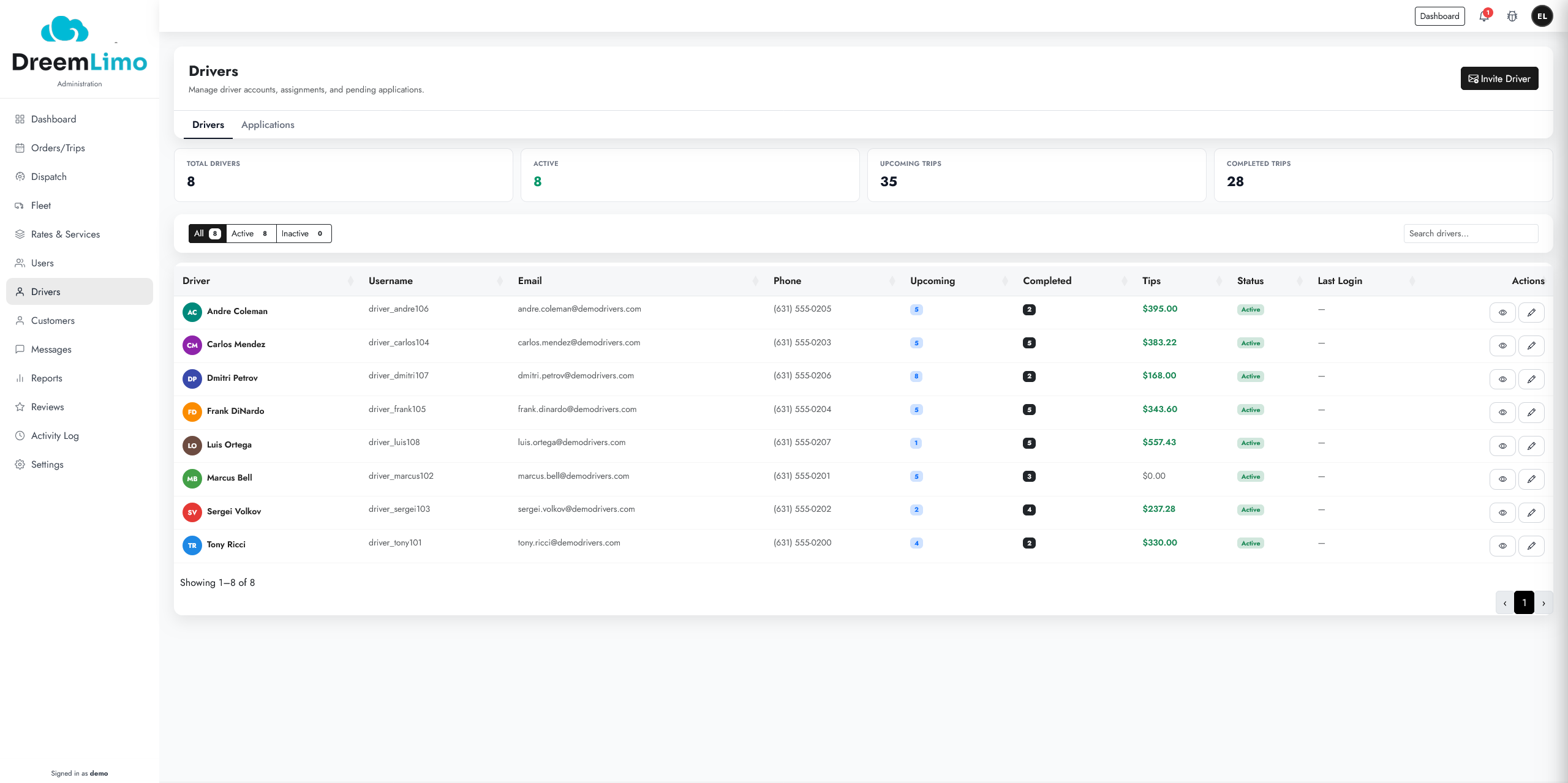
Fleets running 10 or more vehicles almost universally use a centralized dispatch board — a live screen showing every active reservation, driver location, and vehicle status — paired with online booking that captures payment at the time of reservation. The dispatcher (or the software itself) handles confirmations, driver assignments, and pre-trip notifications automatically.
The key tools they use include zone-based pricing (flat rates tied to geographic zones rather than metered miles), card-on-file capture (the customer’s card is stored and charged at booking, not at pickup), and farm-out rules (when your fleet is full, the system can automatically route overflow to a partner operator rather than losing the booking entirely). These aren’t luxury features — they’re how larger operations protect margin at scale.
Our drivers across the local area handle roughly 3 times more ride volume in July and August than in January and February, which mirrors the broader seasonal pattern for wedding, corporate, and airport demand. Without automated confirmation and dispatch, that summer surge creates chaos — missed deadhead runs (the unpaid miles driven to reach a pickup), scheduling gaps, and driver no-shows that trigger chargebacks.
The good news: most of the software infrastructure that larger fleets use is now available to single-operator and small-fleet businesses. You don’t need a 20-vehicle operation to justify it.
What Can You Fix This Week Without New Software?
Before touching any limo software or limo apps, three process changes can recover 3 to 5 hours a week immediately. None of them require a subscription or a tech setup.
- Build a quote template: Create a single text or email template that covers vehicle options, hourly minimums, zone-based flat rates, and your deposit policy. Paste and customize in under 2 minutes instead of writing from scratch each time.
- Set a booking auto-reply: Configure your Google Business Profile and any contact form to send an instant acknowledgment with your quote template attached. Customers feel heard even if you respond manually later.
- Require a deposit up front: No-shows drop sharply when a 25% to 50% non-refundable deposit is collected at booking. This also filters out low-intent inquiries that waste your time.
- Use a shared calendar: Even a free Google Calendar with color-coded vehicle entries eliminates most double-bookings. Share view access with any part-time drivers you use.
- Block dead hours: Identify your 2 to 3 highest-cost time drains each week (usually quote follow-ups and driver check-ins) and batch them into one 45-minute window instead of handling them reactively all day.
These steps won’t automate limo business reservations fully, but they stop the bleeding while you evaluate a longer-term platform.
How Does Automation Change the Math When You Automate Limo Business Reservations?
A properly configured limousine booking software setup can reduce manual reservation handling from 8 to 10 hours per week down to under 1 hour. Here’s where the time goes and where automation cuts it.
| Task | Manual Process (hrs/week) | Automated Process (hrs/week) |
|---|---|---|
| Answering quote inquiries | 3–4 hrs | 0–0.5 hrs |
| Confirming bookings and collecting payment | 2–3 hrs | 0 hrs (system handles) |
| Driver dispatch and trip notifications | 1–2 hrs | 0–0.25 hrs |
| Handling double-booking conflicts | 1 hr | 0 hrs (live availability blocks) |
| Post-trip follow-up and review requests | 1 hr | 0–0.25 hrs (automated sequence) |
The revenue side of the equation is just as clear. A 24/7 booking page that accepts reservations while you sleep captures the 2am airport inquiry, the Sunday-afternoon wedding inquiry, and the last-minute corporate run that comes in at 11pm. Studies on service-business availability consistently show that businesses reachable outside business hours convert at 2 to 3 times the rate of those that require a phone call during the day.
Rideshare competition is real — Uber Black operates in most local area markets and targets the same corporate and airport traveler you do. The advantage you have is reliability, a known driver, and a fixed price. But that advantage disappears entirely if a customer can’t book you in under 3 minutes. Automated limousine software closes that gap.
Which Limousine Booking Software Features Matter Most for Owner-Operators?
Not all limo software is built for the owner-operator who drives, dispatches, and does the books from the same phone. The features that actually move the needle for 1-to-25-vehicle operations are specific.
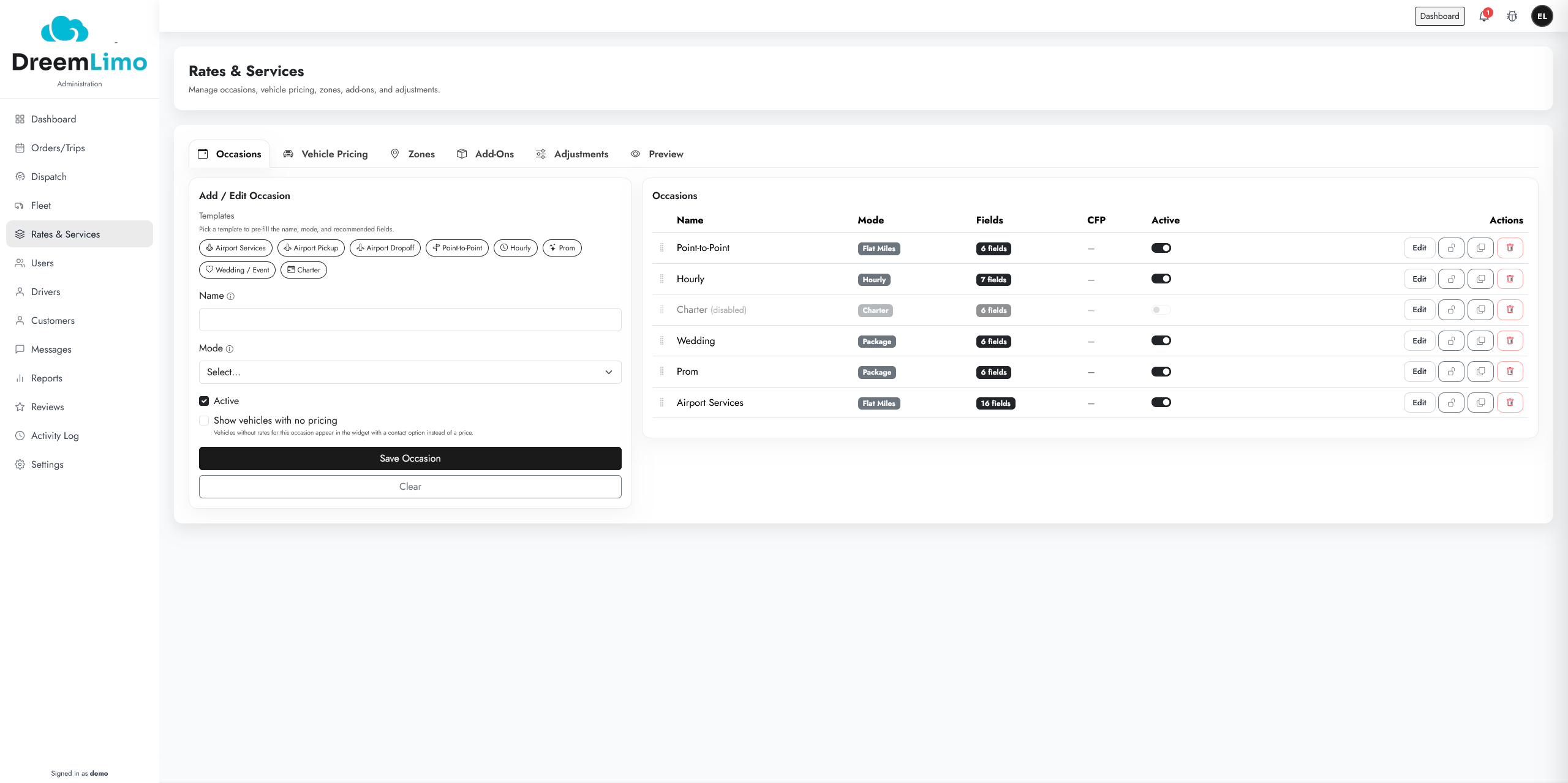
- Instant online booking with live availability: Customers should see real-time vehicle availability and book without calling. If they have to “request a quote” and wait, you’re still in phone-tag mode.
- Automated card-on-file capture: The system stores and charges the card at booking, not at pickup. This eliminates no-shows and reduces chargebacks significantly — operators who add card-on-file typically see no-show rates drop from around 8% to under 2%.
- Zone-based and flat-rate pricing: Build your airport runs, hourly packages, and point-to-point routes into the platform so quotes generate automatically without your involvement.
- Driver dispatch notifications: Automated SMS or app alerts push trip details to the assigned driver 24 hours and 2 hours before pickup. You stop being the manual relay between the booking and the driver.
- Post-trip review automation: A follow-up text sent 30 minutes after drop-off asking for a Google review costs nothing and compounds over time. In local markets, a 10-review edge over a competitor is worth more than most paid advertising.
- Farm-out and partner routing: When your fleet is fully booked, the system routes overflow to a trusted partner rather than losing the booking. This is how small fleets punch above their weight during prom season and holiday party weekends.
As of 2026, most competitive limousine booking software platforms include all of these features in a single monthly subscription, typically ranging from $80 to $300 per month depending on fleet size and feature tier. That cost is recovered by capturing 1 to 2 additional bookings per month that would otherwise have been missed calls.
We see operators in the local area most often lose bookings during three specific windows: Friday evenings between 8pm and midnight, Sunday afternoons during wedding season, and the 48-hour window before major holidays. Those are exactly the hours when automated booking pages earn their keep — across our service calls in the local area, operators who added 24/7 online booking reported capturing an average of 4 to 6 additional reservations per month within the first 60 days.
Operators who added 24/7 online booking reported capturing an average of 4 to 6 additional reservations per month within the first 60 days.
One more factor worth noting: payment card handling carries compliance obligations. Any platform you use to store card-on-file data should be PCI-compliant. Verify this before storing any customer payment data — it protects you from liability in a chargeback dispute.
Frequently Asked Questions
How do I start automating my limo business reservations without spending a lot of money?
Start with three free steps: set up a Google Business Profile with an auto-reply, create a standard quote template you can paste in under 2 minutes, and add a shared Google Calendar to block vehicle availability. These changes alone can recover 3 to 5 hours per week before you invest in any paid limousine software. Once you're ready to go further, Dreem Limo offers a booking platform built for operators in the local area — call us to learn more.
What is card-on-file capture and why does it matter for a limo business?
Card-on-file capture means the customer's payment card is stored and authorized at the time of booking, not at pickup. This is the single most effective way to eliminate no-shows, which typically run 6 to 10 percent of bookings for operators who collect payment at the door. Operators who switch to card-on-file collection usually see no-show rates drop to under 2 percent within the first month.
How does limousine booking software handle double-bookings?
Good limousine booking software maintains a live availability calendar for each vehicle in your fleet. When a vehicle is booked, it's automatically removed from the available options for that time slot — no manual update needed. This prevents double-bookings entirely, which is especially important during high-demand windows like prom night, New Year's Eve, and wedding season weekends in the local area.
Can a small limo operator with just 2 or 3 vehicles benefit from limo software?
Yes — in fact, small operators often see the biggest return because they're currently handling every task manually. A 2-vehicle operation running 15 to 20 bookings per week can recover 8 to 10 hours of owner time per week by automating confirmations, dispatch notifications, and payment collection. The monthly software cost is typically recovered by capturing just 1 to 2 additional bookings that would otherwise have been missed inquiries.
How does automated booking help me compete with Uber Black in the local area?
Uber Black wins on speed and convenience — a customer can book in under 60 seconds at any hour. Your advantage is a known driver, a fixed price, and a higher-quality vehicle experience. Automated booking closes the speed gap by letting customers book your service in under 3 minutes, 24 hours a day, without a phone call. Pair that with automated review follow-ups to build your local rating, and you compete on both convenience and trust.